Get started

Your first week with The Fridge.

You don't have to set up everything at once. Three things today, and the rest as the week goes.

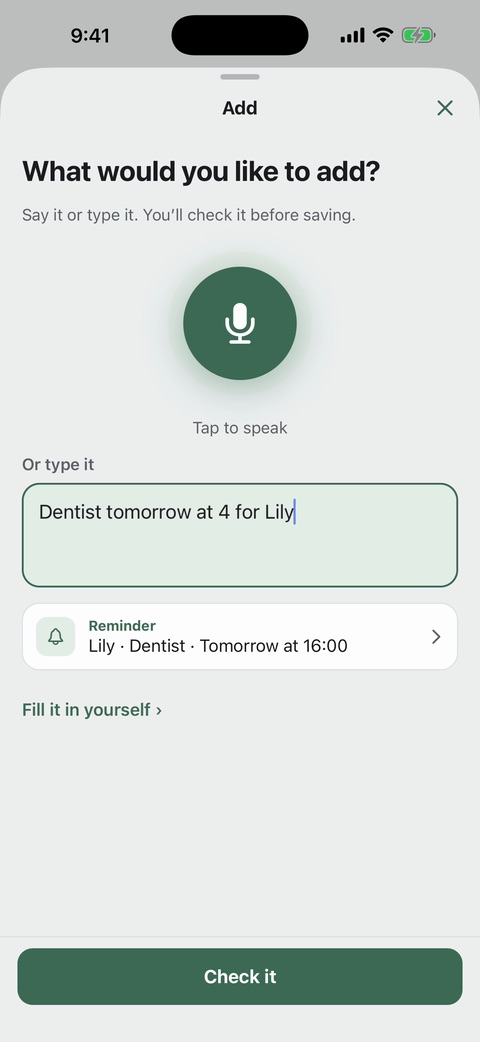
The Add screen: a sentence typed in, and the reminder it will make
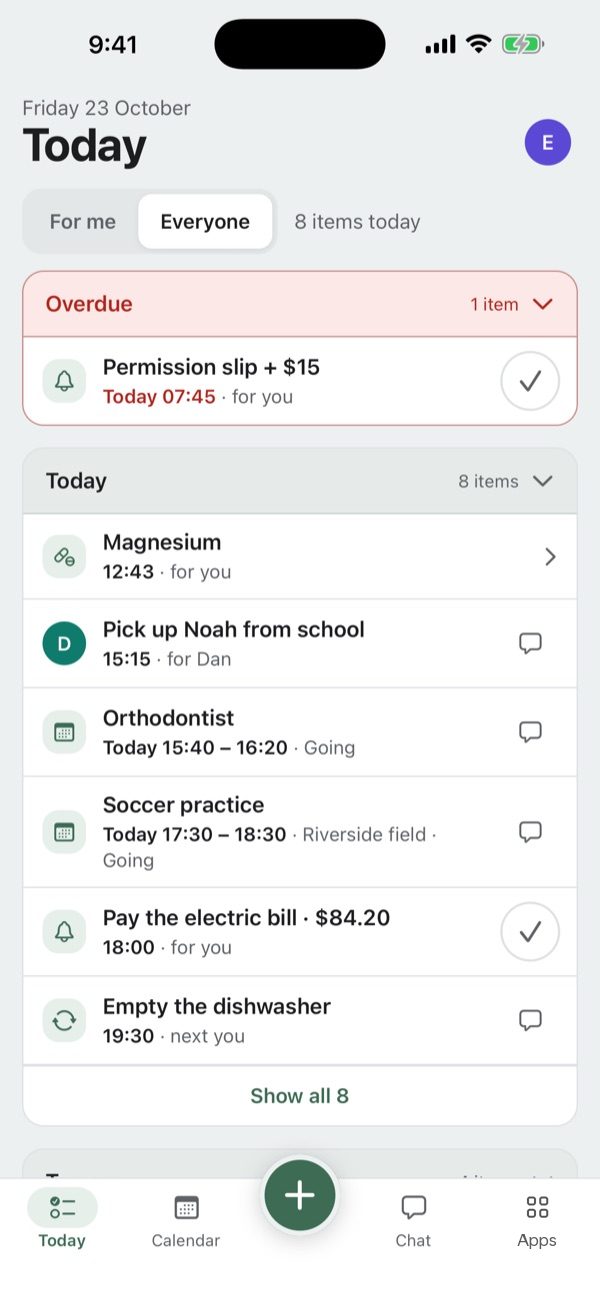
The Today screen with the family's reminders for the day
5 minutes

Today

Enough for the Fridge to start working.

  • Invite your family

    Tap your picture › Settings › Fridge and people › Add person, then Share their invite.

  • Turn on notifications

    Settings › Reminders and alerts › Allow notifications.

  • Add one thing for someone

    Tap + and say “Remind Dan to pick up Noah at 3:15”. It pops up on Dan's phone.

A few minutes a day

This week

Move the family's daily things over.

  • Put the week on the calendar

    School, practice, appointments. Everyone sees the same week.

  • Start the shopping list

    Anyone adds, anyone ticks. It sorts itself by aisle.

  • Set up two chores

    Chores › + Add. The Fridge tracks whose turn it is.

Once, then never again

This month

The things everyone forgets.

  • Birthdays

    Type them once and get a heads-up before each one.

  • Bills, subscriptions and renewals

    The electric bill, Netflix, the passport that expires.

  • See it in your phone's calendar

    Settings › Calendar link, for Apple or Google Calendar.

For the people you invite

They only need three things.

Dad, the kids, Grandma: nobody has to set anything up. Send them this 1-minute guide.

  1. 1Open your invite and get the app
  2. 2Turn on notifications
  3. 3Tap Done on your first reminder

When you're ready

Sticky Notes

The Wi-Fi password, the plumber's number.

What's for dinner

Tonight's plan, and who cooks.

Phonebook

The family's numbers in one place.

Private vault

Passports and papers, for your eyes only.